
A few years ago, a video doorbell was a novelty. Today, many buyers expect one. But not every connected gadget makes a home more appealing. Some feel dated within two years, some stop working when a company shuts down its app, and some make buyers nervous about privacy.
This guide sorts the smart home upgrades that add value from the ones that are mostly hype. You’ll learn what buyers actually ask for, how to pick devices that stay compatible, how to keep them secure, and what to do with them when you sell.
Which Smart Home Upgrades Are Worth It?
Smart upgrades that protect the home or the people in it are worth it. Upgrades that only add a screen or an app to something that already worked usually aren’t.
| Upgrade | Verdict | Why |
| Video doorbell | Worth it | Among the features buyers want most |
| Smart lock with keypad | Worth it | No lost keys, easy access for guests and services |
| Security cameras | Worth it | Top buyer request; deters break-ins |
| Smart smoke and CO alarms | Worth it | Alerts reach your phone when you’re away |
| Smart water shutoff | Worth it | Stops leaks before they become damage |
| Smart garage door opener | Worth it | Cheap retrofit; check and close the door remotely |
| Smart lighting switches | Depends | Great in daily-use rooms; overkill in closets |
| Smart refrigerator | Mostly hype | Expensive; the screen ages faster than the fridge |
| Smart mirrors and gadgets | Hype | Novelty that buyers won’t pay for |
What buyers actually want from a smart home
Buyers mostly want two things from home technology: lower running costs and a safer home. In the National Association of Home Builders’ study of buyer preferences, the top-rated tech features were a programmable thermostat (78% rated it essential or desirable), security cameras (76%), a video doorbell (74%) and a wireless security system (70%) (LightNOW summary of the NAHB study).
Notice what’s missing from the top of that list: connected appliances and entertainment gadgets. Buyers like tech that solves a problem they already worry about, like a package left on the porch or a door left unlocked. They’re far less excited about features that need learning or an extra subscription.
That gives you a simple filter for any device: does it make the home safer, easier to secure, or cheaper to run? If yes, it’s probably worth it. If it mainly looks impressive, skip it.
Pick a standard before you pick devices
The biggest smart home mistake isn’t buying the wrong gadget. It’s buying gadgets that only work with one brand’s app. If that company changes its plans or drops support, your devices can stop working, and the next owner inherits a mess.
The fix is Matter, an open standard from the Connectivity Standards Alliance that lets certified devices work with Apple Home, Google Home, Amazon Alexa and other platforms. Version 1.6, the latest, was released on June 17, 2026 (Wikipedia), and the previous version added support for cameras (Bbox Mag).
You’ll also see Thread on many boxes. Think of Matter as the language devices speak and Thread as one of the roads they travel on. Thread is a low-power mesh network, so it’s ideal for battery sensors and locks. It needs a border router, which is often built into recent smart speakers and hubs.
Two buying rules follow from this:
- Look for the Matter logo, and confirm the device in the CSA’s online certification database before you buy.
- Stick to one main app to control everything. A buyer can learn one system; five apps feel like a chore.
Smart upgrades that are worth it
Security: doorbell, lock and cameras
These three cover the front door, where buyers form their first impression and where most worries about safety start.
- Video doorbell: choose one with a wide, head-to-toe field of view so packages on the ground are visible, and local video storage or a free basic tier so it still works without a subscription.
- Smart lock: pick a model with a keypad and a physical key backup. Codes you can create and delete for cleaners, dog walkers or guests are the feature people use most.
- Cameras: cover entry points, not every room. Outdoor cameras over the driveway and back door reassure buyers; indoor cameras can make some of them uneasy.
Safety: alarms and water protection
These devices earn their place because they warn you when you’re not home.
- Smart smoke and CO alarms send an alert to your phone and can tell you which room triggered. Choose interconnected models so one alarm sounds them all.
- A smart water shutoff valve on the main line closes automatically when a sensor detects a leak. It’s the upgrade that prevents the most expensive kind of damage.
Convenience: garage, lighting and climate
- Smart garage door opener: a retrofit controller lets you check and close the garage from your phone. Families rate this highly because a forgotten open door is a common worry.
- Smart switches: put them in the rooms you use daily, like the kitchen, living room and entry, and in outdoor lights you’d like on a schedule.
- Smart thermostat: still a buyer favorite. We cover how much it saves in our guide to energy-efficient upgrades.
Smart upgrades that are mostly hype
Some connected products are fun to own but add little appeal for the next owner.
- Smart refrigerators and ovens: a fridge lasts well over a decade, but its touchscreen and app often stop getting updates long before that. Buyers see an expensive appliance with an aging computer attached.
- Single-purpose gadgets: smart mirrors, connected toothbrush holders and app-controlled blinds in rooms nobody uses don’t change how a home feels to live in.
- Too many apps: a home with ten devices from ten brands, each with its own login, reads as a hassle rather than a feature.
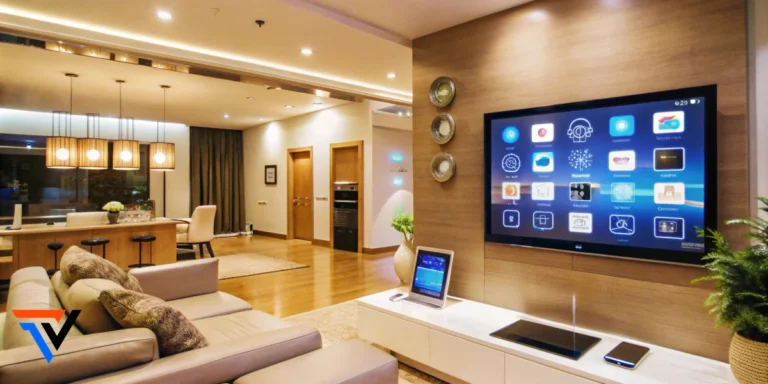
- Built-in tech that ages fast: in-wall tablets and hard-wired speakers tied to one platform can look dated within a few years and are costly to remove.
A good rule: if a device costs more than the problem it solves, or only works through a single company’s app, think twice.
Keep your smart home private and secure
Every connected device is a small computer on your network. A few habits keep it from becoming a weak spot:
- Change default passwords and use a unique one for each account. A password manager makes this painless.
- Turn on two-factor authentication for every smart home app, especially locks and cameras.
- Keep firmware updated. Enable automatic updates, and before buying, check how many years the maker promises security updates.
- Put devices on a separate network. Most routers offer a guest or IoT network that keeps gadgets apart from your laptop and phone.
- Choose local storage where you can. Cameras that record to a memory card or home hub send less video to the cloud.
- Point cameras at your property, not your neighbor’s. It’s courteous, and in some areas it’s also a legal requirement.
These steps also matter at resale. Buyers increasingly ask who else can see into the home, and a clear answer builds trust.
Selling a smart home: your hand-over checklist
Smart devices only add appeal if the buyer can actually use them on day one. A messy hand-over can turn a selling point into a complaint.
- Decide what stays: List every smart device in your sale agreement. Mounted items like doorbells, locks and thermostats are usually treated as fixtures; if you plan to take any, replace them with standard versions before listing.
- Mention them in the listing: “Smart lock, video doorbell and leak protection” is a concrete, searchable feature.
- Remove your accounts: Delete each device from your apps and remove shared users, so you stop receiving alerts and the buyer can set up fresh.
- Factory rese: each device after closing, or leave reset instructions if the buyer prefers to do it.
- Delete stored video and data: from cameras and doorbells, including cloud recordings.
- Leave a simple guide: a one-page list of devices, brands, the app each one uses, and the reset steps.
- Hand over the hub: If devices rely on a hub or Thread border router, leave it and its manual too, or the rest may stop working.
Frequently asked questions
Do smart home devices increase home value?
They make a home more appealing and can help it sell faster, but they rarely add their full price to an appraisal. Security and safety devices that buyers already want offer the best return on your effort.
Can I take my smart devices with me when I move?
Often yes, but plan ahead. Anything attached to the house may be considered part of the sale, and local rules and contracts vary. Name the items you’re keeping in your listing and agreement, and confirm with your real estate agent.
What is the best smart home system for beginners?
Start with whichever platform you already use, such as Google Home, Apple Home or Alexa, and buy Matter-certified devices. That way you can switch platforms later without replacing your hardware.
Final thoughts
The smart home upgrades that add value solve real worries: who’s at the door, whether it’s locked, whether there’s a leak or a fire while you’re away. Choose Matter-certified devices, run them from one app, secure them properly, and leave the next owner a clean hand-over.
Skip the gadgets that only add a screen. Your future buyer, and your wallet, will thank you. Which smart device has made the biggest difference in your home? Tell us in the comments.