
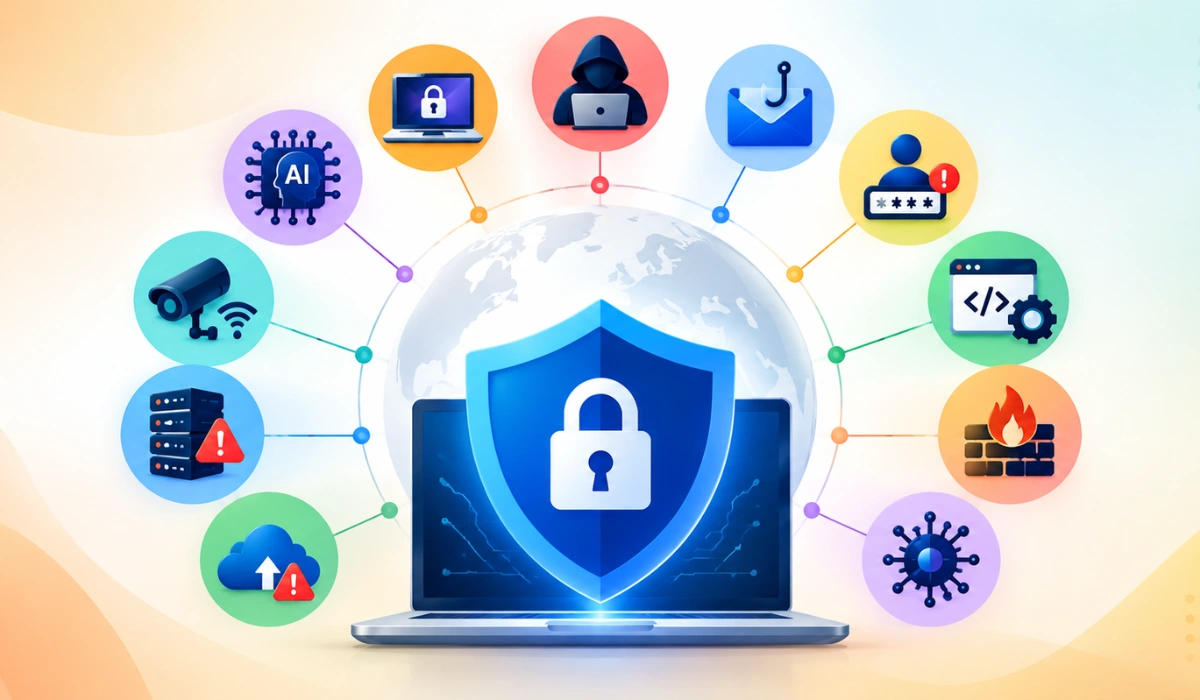

If you use email, online banking, cloud apps, or run a website, you are a possible target. Attackers don’t only go after large companies. They go after anyone with weak passwords, outdated software, or a distracted moment.
This blog explains cyber threats in plain language, shows how real attacks unfolded, and ends with a step-by-step plan you can start today, whether you are protecting a business or your own accounts.
What is a Cyber Threat?
A cyber threat is anything that could harm the security of your digital systems. Security professionals measure that harm against three goals, known as the CIA triad:
- Confidentiality: only the right people can see your data.
- Integrity: your data can’t be secretly changed.
- Availability: you can access your systems and data when you need them.
A threat can be active, such as a virus on your laptop, a hacked email account, or a website knocked offline. It can also be potential: a weakness or person that could realistically lead to an attack, such as an unpatched server, a reused password, or a former employee who still has access.
Threats also differ by origin. External threats come from criminals, hackers, or foreign governments. Internal threats come from employees, contractors, or vendors who misuse their access on purpose or by accident.
Key takeaway: A cyber threat isn’t only an attack in progress. Any realistic way your data or systems could be harmed counts as a threat.
Also read: How AI is Transforming Patient Access to Healthcare
Threat vs. Vulnerability vs. Risk
These three terms are often mixed up.
| Term | Meaning | Example |
| Threat | Something that can cause harm | A ransomware gang |
| Vulnerability | A weakness that can be exploited | Software that hasn’t been updated |
| Risk | The likelihood and impact of a threat using a vulnerability | Your files get locked, and your business stops for a week |
Threat + Vulnerability = Risk. You can’t control the threat, but you can fix the vulnerability, and that lowers your risk.
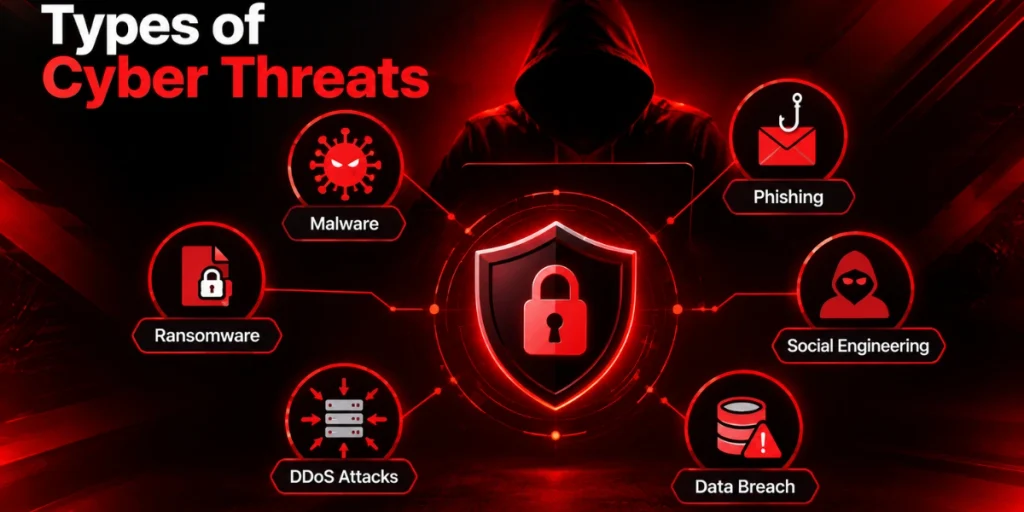
Types of Cyber Threats
Malware
Malware (“malicious software”) is any program built to harm, spy on, or take control of a device. It usually arrives through email attachments, fake downloads, or infected websites.
| Type | What it does | Warning sign |
| Virus | Attaches to a program and runs when it runs | Programs crash or behave oddly |
| Worm | Spreads across networks by itself | Network slows suddenly |
| Trojan | Pretends to be useful software | Unknown apps appear |
| Ransomware | Locks files and demands payment | Files renamed, ransom note appears |
| Spyware | Secretly records keystrokes and activity | Unexplained account logins |
| Adware | Tracks browsing to push ads | Constant pop-ups |
| Cryptojacking | Uses your device to mine cryptocurrency | Overheating, fan noise, slow performance |
| Fileless malware | Runs in memory using built-in tools like PowerShell | Hard to see; needs EDR tools |
| Rootkit | Hides deep in the system for long-term control | Security tools stop working |
Phishing
Phishing uses fake emails, texts (smishing), phone calls (vishing), or counterfeit login pages to trick you into giving up passwords, payment details, or access. It is the most common way attackers get in, and it often delivers malware or ransomware.
Denial-of-Service (DoS/DDoS) Attacks
A flood of traffic overloads a website or server until real users can’t reach it. Attackers use DDoS for disruption, extortion, or as a distraction while they attempt something else.
Man-in-the-Middle Attacks
An attacker secretly positions themselves between you and a website, often on public Wi-Fi, and reads or alters the data passing through.
Password and Credential Attacks
Attackers guess, steal, or buy passwords. Credential stuffing tries passwords leaked from one site on many others, which works because so many people reuse passwords.
Insider Threats
Insiders have legitimate access. A malicious insider abuses it for money or revenge. A careless insider causes damage by accident, for example by sending a file to the wrong person or clicking a bad link.
AI-Powered Attacks
Attackers now use AI to write flawless phishing emails in any language, clone voices, and create fake videos of real people. The old advice to look for spelling mistakes is no longer enough.
Who is Behind Cyber Attacks?
Knowing the attacker tells you what they want and how they work.
| Source | Main goal | Typical targets |
| Organized crime groups | Money (ransomware, fraud, data theft) | Businesses of every size |
| Nation-state actors | Espionage, disruption, influence | Governments, defense, energy, tech |
| Individual hackers | Profit, revenge, activism, reputation | Anyone with weak security |
| Terrorist or extremist groups | Fear, disruption, physical harm | Utilities, transport, healthcare |
| Malicious insiders | Money or revenge | Their own employer |
| Careless insiders | No intent, but real damage | Their own organization |
Most businesses face criminal groups and honest mistakes far more often than foreign governments.
Real-World Cyber Attack Examples
Real cases show how these threats play out. Each one carries a lesson you can apply.
- WannaCry (2017): This ransomware spread worldwide by exploiting a Windows flaw for which a patch already existed. Hospitals and companies that hadn’t updated were hit hard.
- SolarWinds (2020): Attackers inserted malicious code into a trusted software update, which then reached thousands of customers, including government agencies.
- Colonial Pipeline (2021): A ransomware attack shut down a major US fuel pipeline, and the company paid a ransom. It was reportedly traced to a compromised password on an old account without multi-factor authentication.
- MOVEit (2023): A flaw in widely used file-transfer software let attackers steal data from a large number of organizations at once.
Lesson: one weak tool can expose many companies. - Arup deepfake fraud (2024): An employee at the engineering firm reportedly transferred about $25 million after a video call with what appeared to be senior colleagues but were deepfakes.
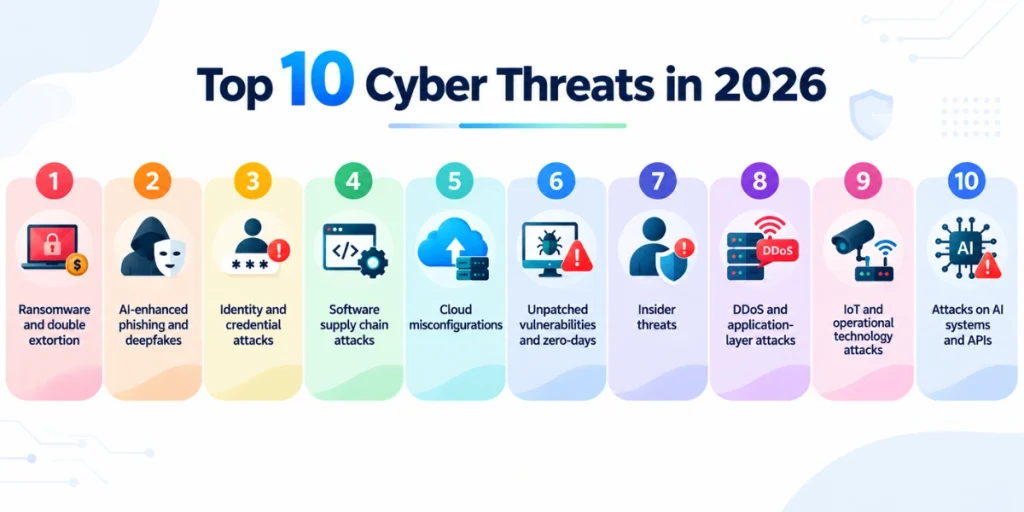
Top 10 Cyber Threats in 2026
- Ransomware and double extortion: Attackers encrypt your files and steal a copy, threatening to leak it. Downtime is often costlier than the ransom itself.
- AI-enhanced phishing and deepfakes: Voice clones and fake video calls are used to impersonate executives and authorize payments.
- Identity and credential attacks: Attackers log in instead of breaking in, using stolen passwords, session cookies, and MFA fatigue (spamming approval prompts until someone taps “yes”).
- Software supply chain attacks: A compromised vendor, plugin, or code library delivers malware to all its customers.
- Cloud misconfigurations: Public storage, overly broad permissions, and leaked access keys expose data without any real “hack.”
- Unpatched vulnerabilities and zero-days: Attackers exploit new flaws within days, especially in VPNs, firewalls, and remote-access tools.
- Insider threats: Hard to detect because the activity looks normal. Remote work and contractors widen the exposure.
- DDoS and application-layer attacks: Used for disruption, extortion, and as a smokescreen for other intrusions.
- IoT and operational technology attacks: Smart devices, cameras, medical equipment, and industrial systems often run old software with weak security.
- Attacks on AI systems and APIs: Prompt injection, data poisoning, and poorly secured APIs are growing risks as businesses connect AI tools to their data.
Warning Signs You May Be Under Attack
- Your device is suddenly slow, hot, or crashing
- Files are missing, renamed, or won’t open
- You see login alerts from unfamiliar locations
- Your contacts receive strange messages from your account
- Password reset emails arrive that you didn’t request
- Unknown programs or browser extensions appear
- Your antivirus or security tools have been turned off
- Unexpected bank or payment activity shows up
If you see several of these: disconnect the device from the internet, change your passwords from a different, clean device, and contact your IT team or a security professional.
How to Protect Yourself: A Simple Action Plan
Do This Today (30 minutes)
- Turn on multi-factor authentication for email, banking, and social accounts. Prefer an authenticator app or passkey over SMS.
- Install a password manager and replace reused passwords.
- Turn on automatic updates for your operating system, browser, and apps.
- Check whether your email has appeared in a known breach at haveibeenpwned.com.
Do This Week
- Set up backups using the 3-2-1 rule: 3 copies, on 2 different storage types, with 1 offline or off-site. Test that you can restore them.
- Delete old accounts, unused apps, and software you no longer need.
- Review who has access to what, and remove anyone who no longer needs it.
- Set a rule that payment or bank-detail changes must be confirmed by phone using a known number.
Do This Month (for Businesses)
- Run a phishing awareness session and make reporting suspicious emails easy and blame-free.
- Deploy endpoint detection and response (EDR) and centralized logging.
- Segment your network so one infected device can’t reach everything.
- Write and rehearse an incident response plan: who to call, what to shut down, who speaks to customers.
- Review the security of your key vendors and suppliers.
- Use the NIST Cybersecurity Framework (Identify, Protect, Detect, Respond, Recover) to find gaps in your program.
How to Spot a Phishing Email in 10 Seconds
- Is the sender address slightly off (for example, paypa1.com)?
- Does it create urgency or fear (“account suspended in 24 hours”)?
- Does it ask for passwords, codes, or payments?
- Hover over links without clicking. Does the destination match?
- Still unsure? Contact the sender through a different channel.
Free download: Get our Cyber Threat Response Checklist (PDF).
What is Cyber Threat Intelligence?
Cyber threat intelligence is threat data that has been collected, verified, and analyzed until it is useful for decisions. It helps answer three questions: Who might attack us? What do they want? How do they usually get in?
Teams produce it through a repeating cycle: plan what you need to know, collect data, analyze it, share the findings, then review and refine as new information arrives.
Intelligence comes in three levels:
- Strategic: big-picture, long-term guidance for leaders on where to invest and which threats matter most.
- Operational: guidance on specific campaigns or incidents, such as what to do when malware is found on a workstation.
- Tactical: real-time detail for analysts, such as malicious IP addresses to block today.
Good analysis looks at the attacker’s identity, intent, and capability, along with their tactics, techniques, and procedures (TTPs).
Frequently Asked Questions
What is the most common cyber threat?
Phishing. It is also the usual first step in malware and ransomware attacks.
What is an example of a cyber threat?
A fake delivery text that installs spyware, a ransomware attack that locks a company’s files, or a DDoS attack that takes a website offline.
What is the best first step to improve my security?
Turn on multi-factor authentication and keep your software updated. Those two steps block a large share of common attacks.
How often should I review my security?
Review access and backups at least quarterly, and do a broader review once a year or after any major change.
Final Thoughts
You can’t remove every cyber threat, but you can make yourself a much harder target. Focus on the basics: strong unique passwords, MFA, updates, tested backups, and a team that knows how to spot a scam. Start with the “Do this today” list above, and you’ll already be ahead of most people.